Remote control for a Desktronic HomePro desk with an ESP32-C6
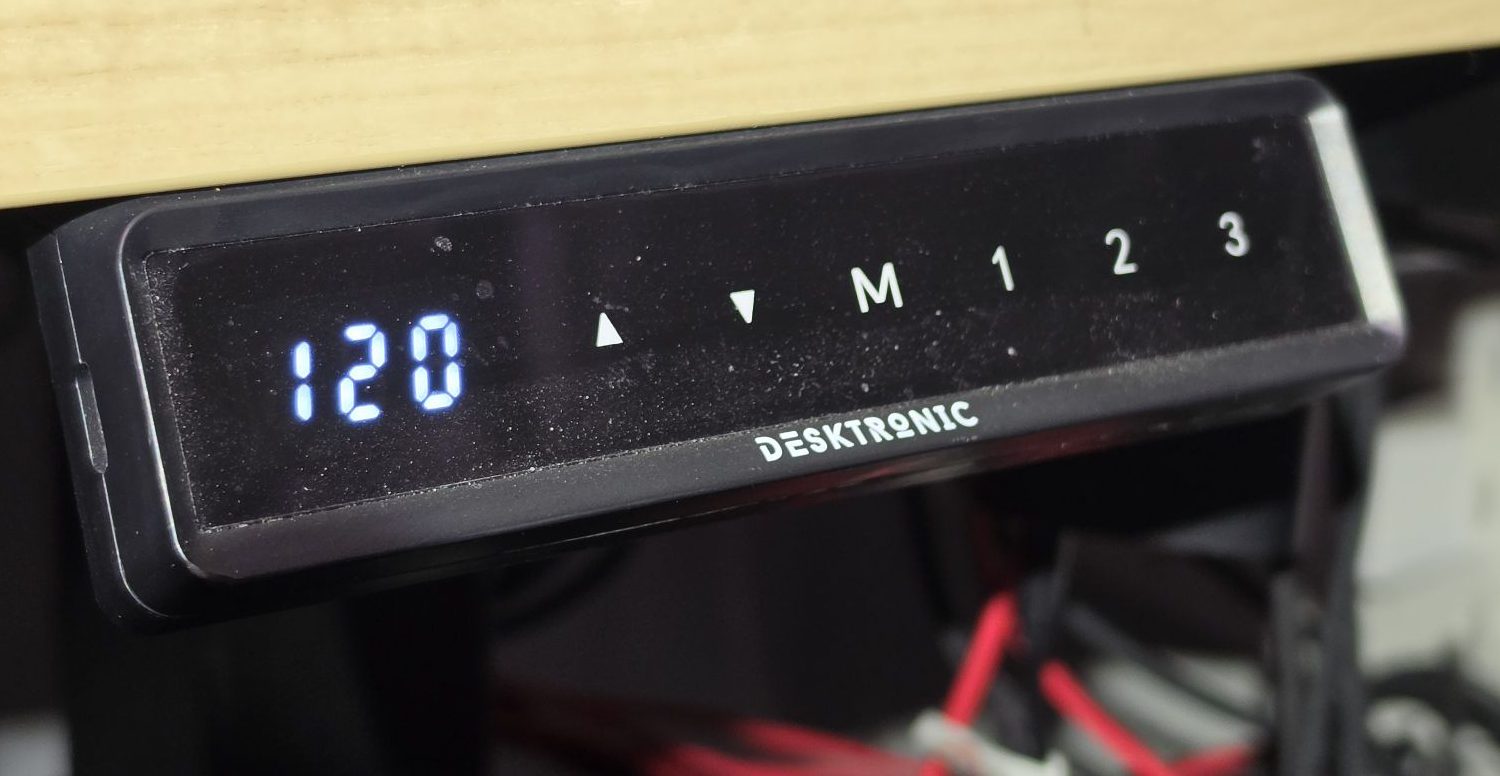
I work remotely and spend anywhere from several to a dozen-plus hours a day at the computer — which is anything but healthy for my back and spine. That’s why I decided to buy an electric standing frame from Desktronic, the HomePro version. My main criterion was the frame’s load capacity: 160 kg. The desktop came over from my previous desk — it’s not a Desktronic one, but a custom top a carpenter made to fit my needs, and it weighs a fair bit too. There’s quite a lot of gear on it right now: three monitors, a mini rack and a few other things — and the desk still copes with me sitting on top of it :). After the initial excitement and playing around, though, I kept forgetting to change position while working — and that was the whole reason for buying it. What can you do about that? Well, obviously — I’m a DevOps engineer, so it has to be automated! ;-) That’s what this article is about — enjoy the read.
The goal
I sit too long. The plan: let Home Assistant (HA) know how high the desk is, give me “standing / sitting” buttons on the dashboard, and nag me when I’ve been sitting for too long. No cloud, no vendor app — and no replacing the desk’s own electronics, because the controller already does the hard part: motor synchronisation, limits and collision detection.
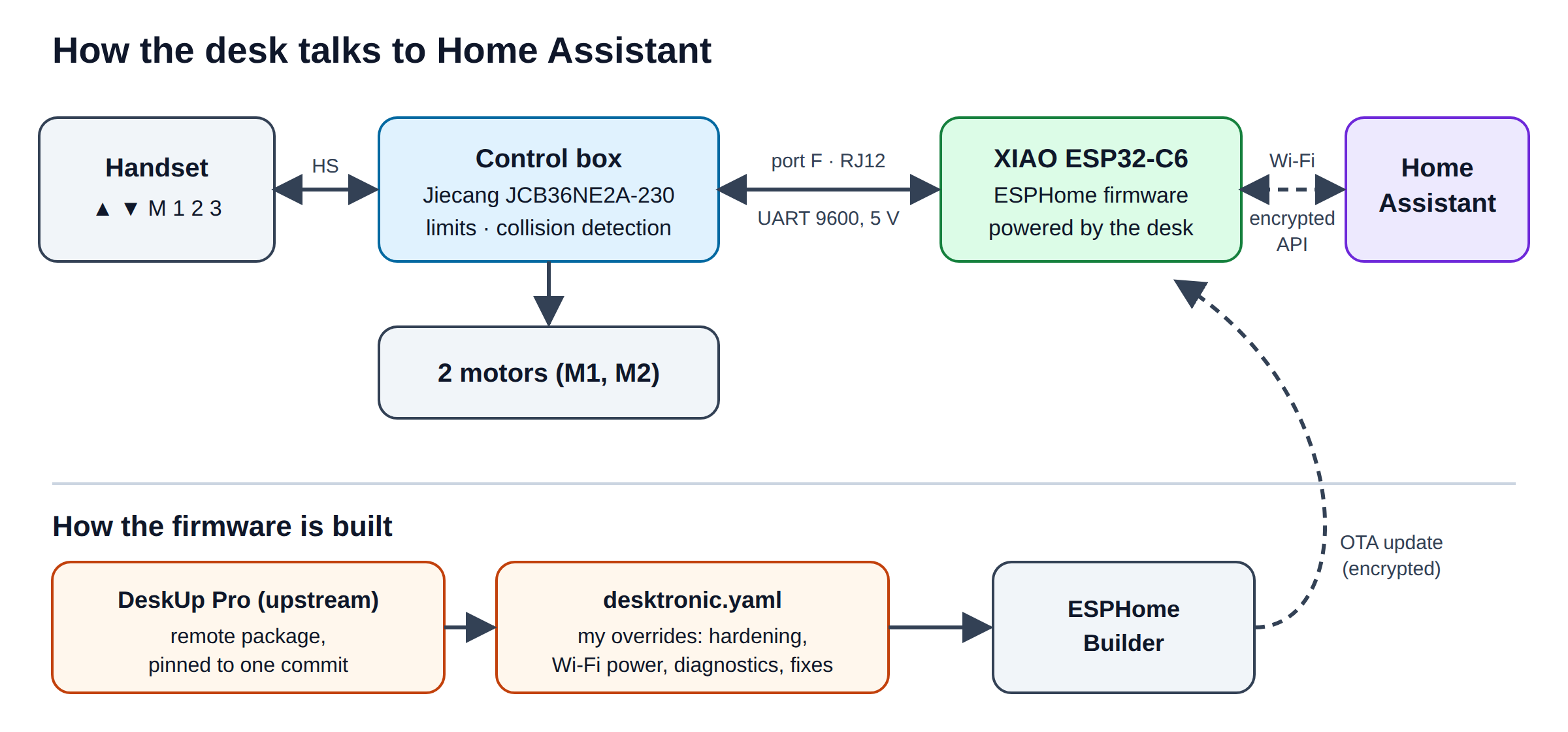 The whole setup: the board speaks the same protocol as the handset, so the controller stays in charge of safety.
The handset: up, down, M and three memory slots. Everything it can do, Home Assistant can do now.
The desk is a Desktronic HomePro. Under the top sits a Jiecang control box (JCB36NE2A-230) with a free 6-position jack labelled F. Jiecang boxes speak a simple serial protocol at 9600 baud, and the open-source DeskUp Pro project already implements it for ESPHome. So this is not a reverse-engineering story. It’s an integration story — which is exactly where DevOps habits pay off.
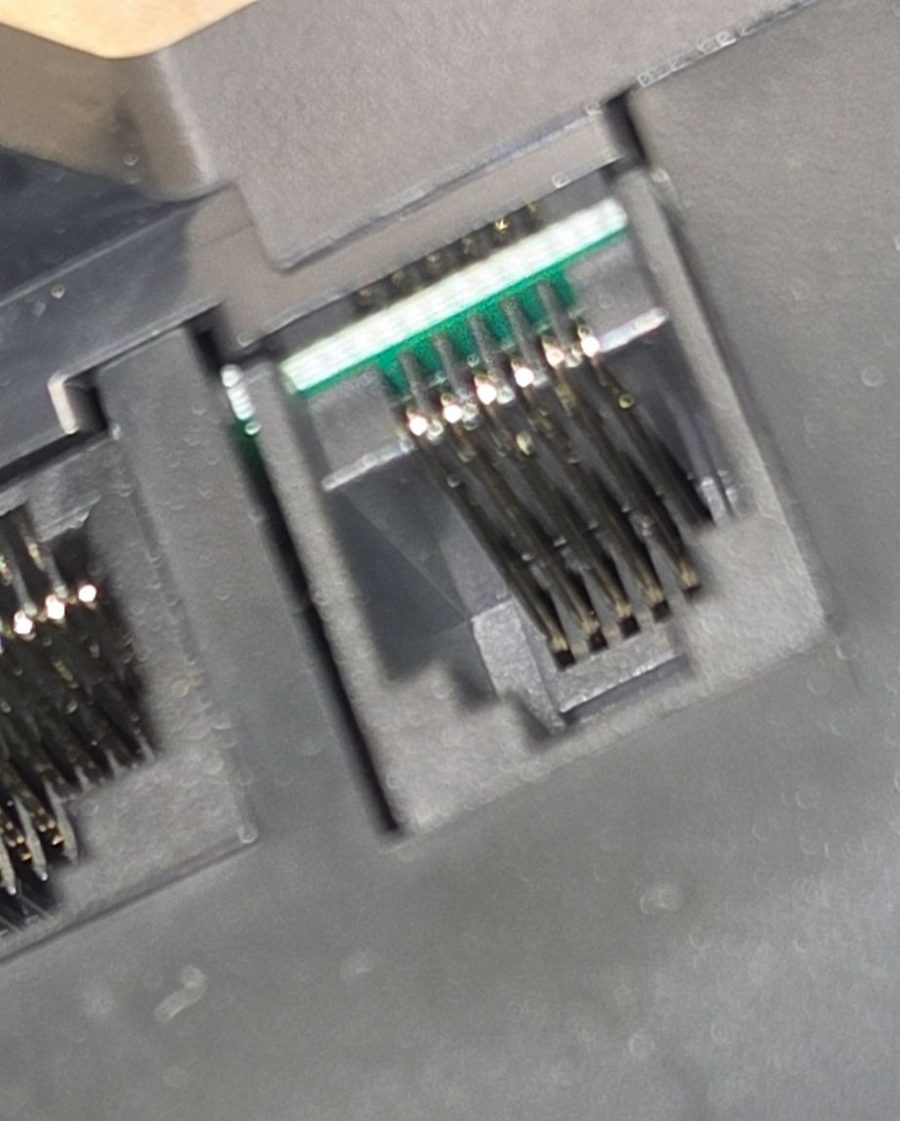 Port F: six positions, only the middle four are used.
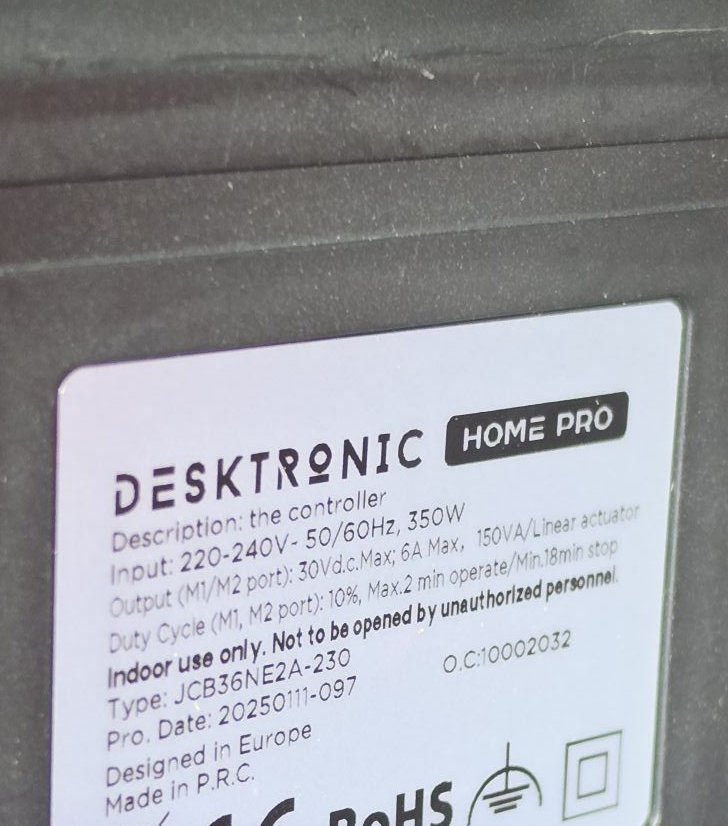 The label is worth reading: type JCB36NE2A-230 and a 10 % duty cycle — max 2 minutes of motor time, then rest.
Treat someone else’s firmware like a dependency
DeskUp’s license allows personal, non-commercial use and forbids redistribution. Copying its YAML into my repository was therefore off the table — and I wouldn’t want to anyway. ESPHome can pull a configuration as a remote package, so my config references DeskUp and pins it to a commit:
packages:
  deskup:
    url: https://github.com/SmartHomeGuys/DeskUp-Pro-Controller-RJ12
    ref: ac170d39373958cd679ece7ac82d9432b3f14728
    files: [common/c6-chip-config.yaml]
Same idea as pinning a container image by digest: an upstream change can’t silently alter what runs under my desk. Everything I want to change lives locally in my own file — I decide what runs and how.
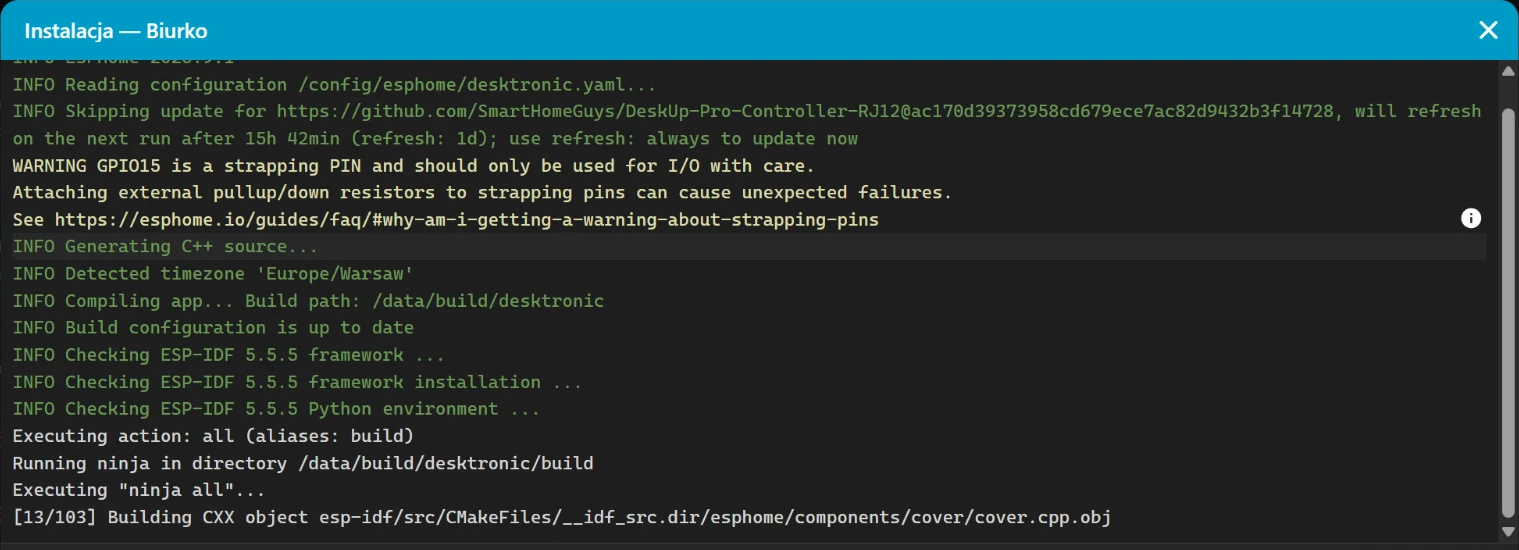 ESPHome Builder fetches the package once, stores it locally and never refreshes it again.
The first overrides were hardening. The upstream config is built for people buying a ready-made device, so
it ships a fallback Wi-Fi hotspot with a known password, a captive portal, Improv provisioning over serial
and Bluetooth, a web server and OTA updates over HTTP. On a device that lives on my IoT network, all of that
is attack surface. ESPHome’s !remove drops each one; the API and OTA are encrypted with a single key.
Measure before you solder
The documentation says: latch up, position 1 on the left, ground on position 2. My cable was home-made — a 6P4C plug crimped onto UTP, using only the four solid-colour wires. Following the convention, brown should have been ground and orange 5 V.
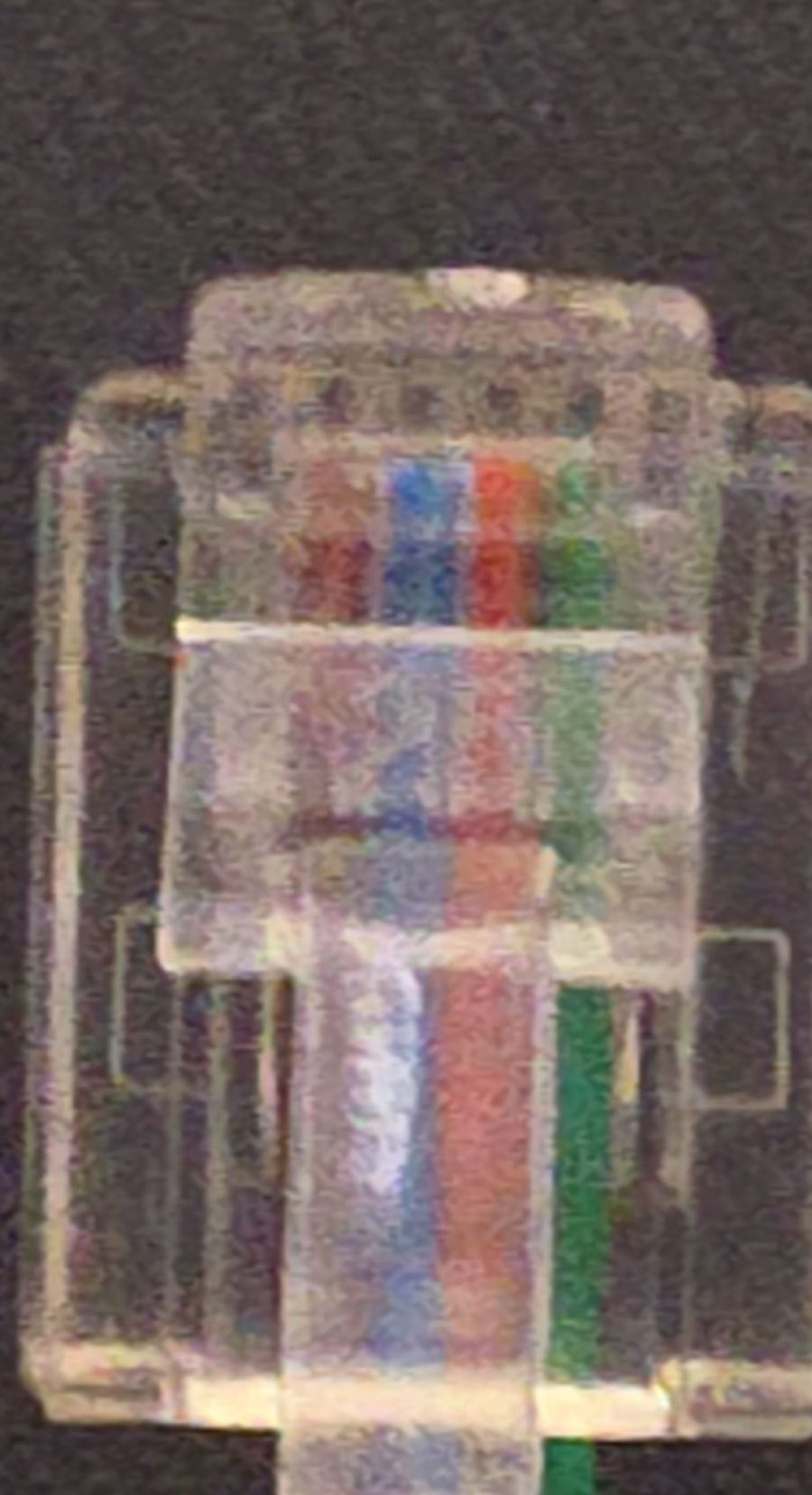 The home-made cable: four solid-colour wires from a UTP cable in a 6P4C plug.
The multimeter disagreed. Green to blue: 4.94 V. The real pinout was the mirror image of the convention.
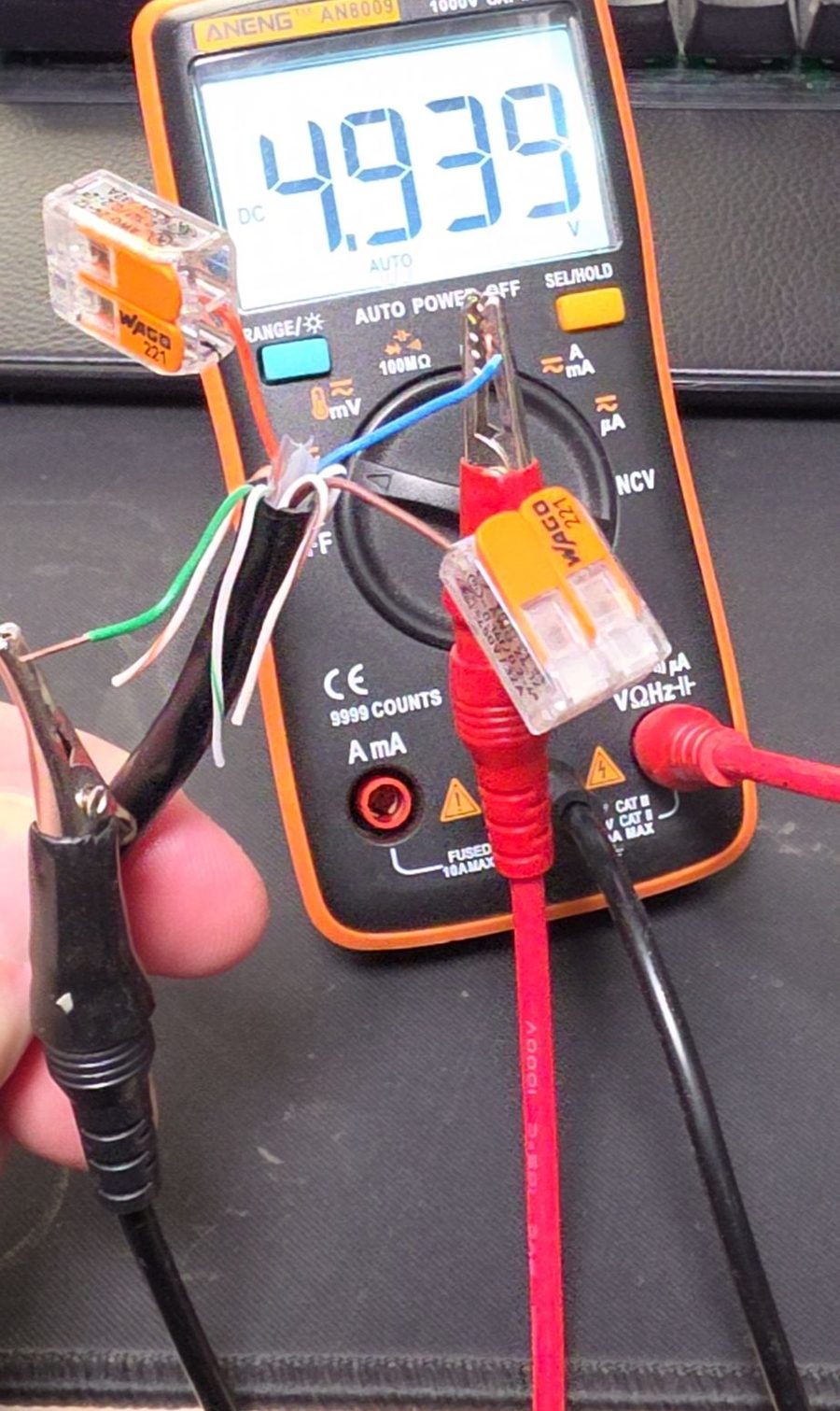 Black probe on green, red on blue: 4.939 V. Not what the documentation implied.
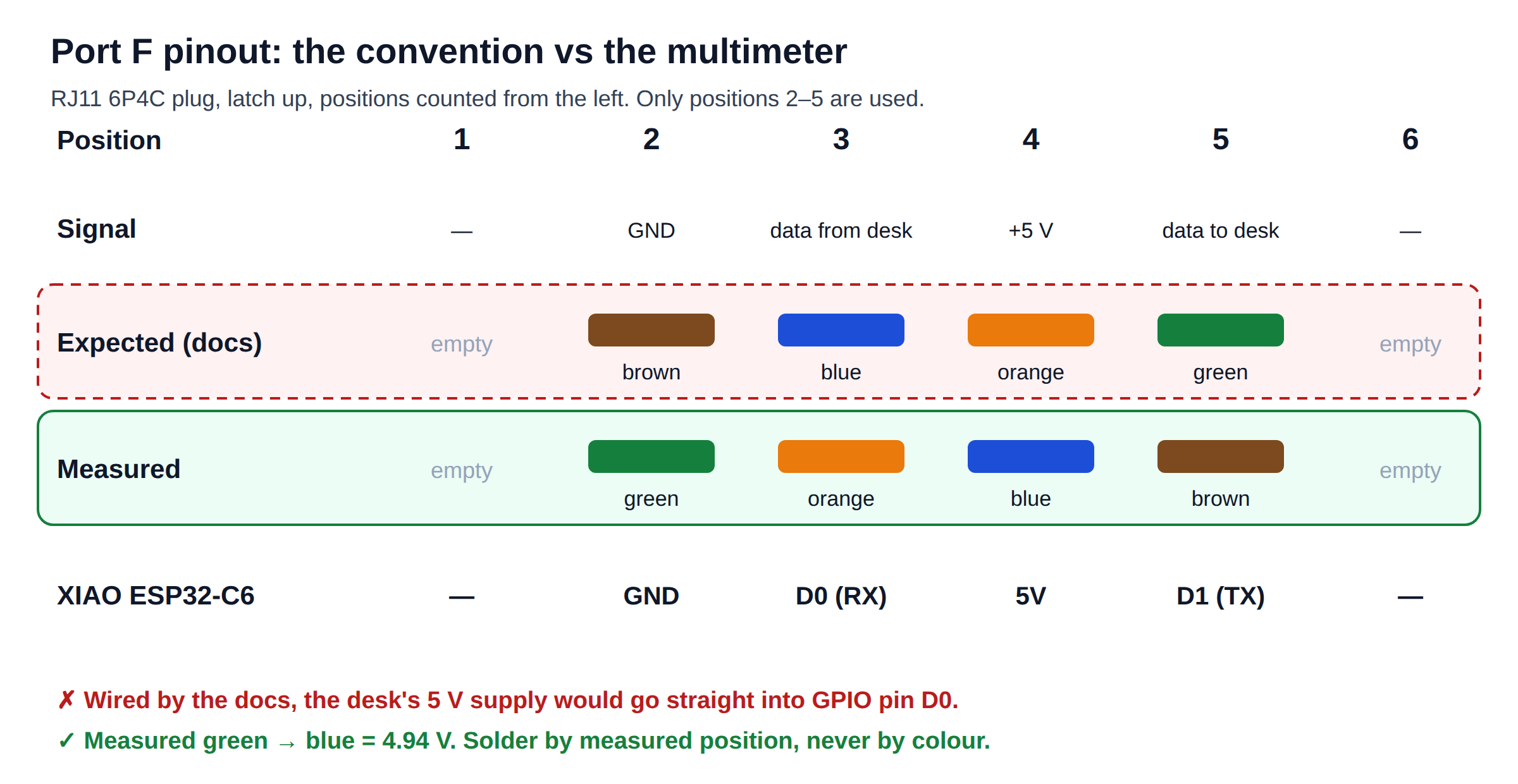 Expected vs measured. Same plug, same cable — mirrored.
Wiring it by the diagram would have fed the desk’s 5 V supply straight into a GPIO pin.
Two more readings mattered: both data lines idle at about 5 V. ESP32 inputs are specified for 3.3 V. For a test board I accepted the direct connection consciously; for a permanent build, a BSS138 level shifter is the right fix.
The DevOps reflex here is the same one you use before trusting a runbook: verify the environment, then act.
Incident #1: obstacle detection
During testing the desk stopped travelling its full range — every press up or down ended with a short bounce, as if it had hit something. My first hypotheses were configuration: collision sensitivity, interference from the new cable. Wrong.
The actual change was physical: for testing, the control box had been unscrewed from the frame and was hanging on its cables. The box detects collisions with a gyroscope. When the motors started, the loose box swung, and the controller read the swing as an impact. Screwed back in — problem gone.
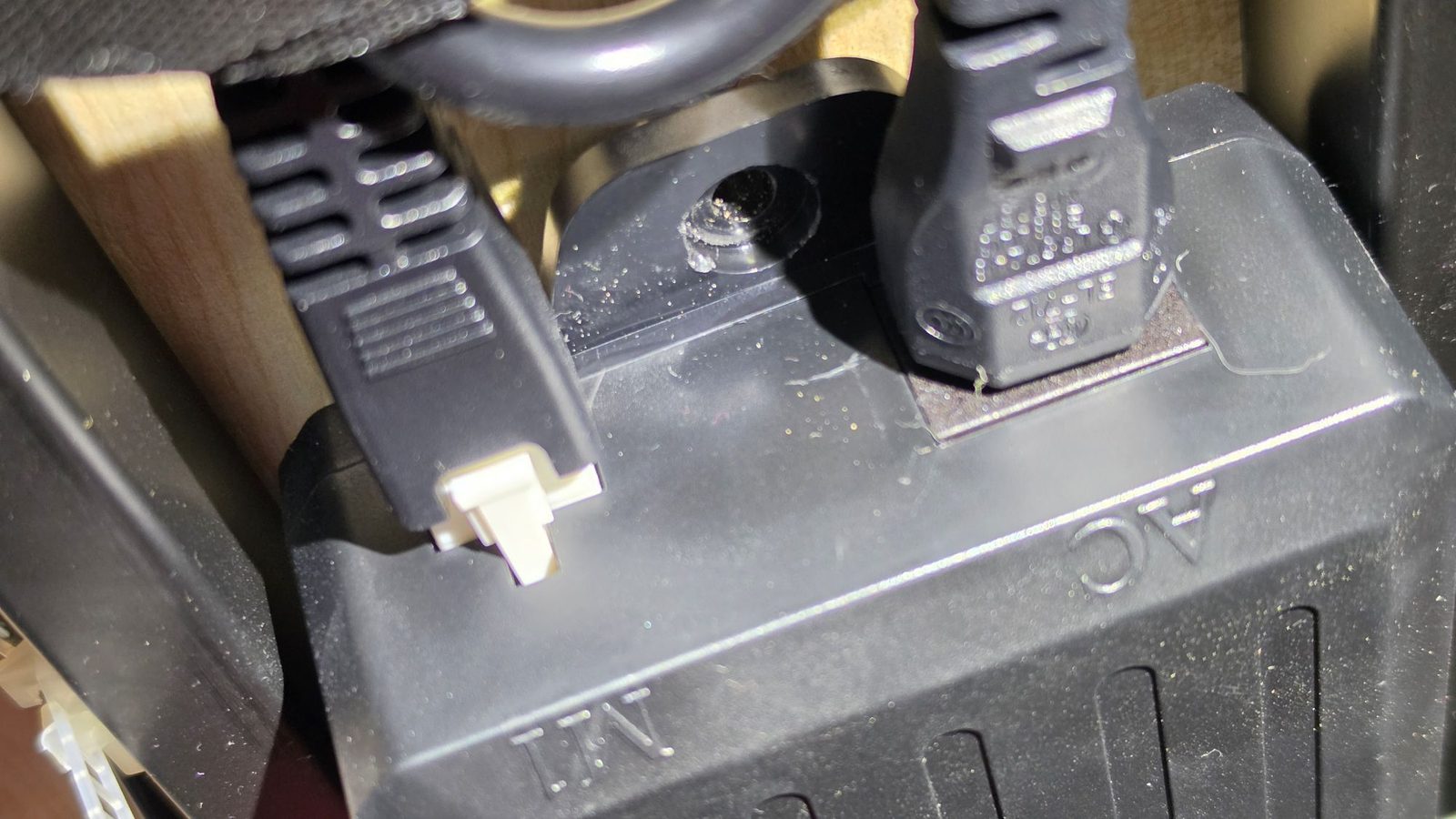 The control box belongs screwed to the frame — its collision detection feels every swing.
Incident #2: now it works, now it doesn’t…
The board joined Home Assistant, moved the desk, and then started dropping off. Instead of guessing, we correlated logs: the access point saw the board at −79 to −93 dBm, and there were reboots with no known cause.
Two findings:
- The upstream config for this board lowers Wi-Fi transmit power to 9.5 dB. Sensible on a bench, bad under a desk. Back to 20 dB: −65 to −76 dBm and a stable connection.
- The firmware didn’t record why it rebooted. So I added observability before fixing anything else: a Wi-Fi
signal sensor and a
reset_reasonsensor. The next reboot told me whether it was a brownout, a watchdog or a software restart. After the power change, every boot was a clean power-on — no brownouts.
Defaults are someone else’s decisions for someone else’s environment. Review the overrides of any package you pull in, and ship diagnostics from day one.
Incident #3: presets that were never there
Everything worked — except the memory presets M1–M4 showed “unknown” in HA. Pressing them on the handset didn’t help.
Root cause, via five whys: the controller reports presets only when asked (query 0x07). DeskUp asks once,
right at boot, without waking the controller first. Jiecang controllers fall asleep after a few seconds idle
and drop the first command they receive. Whenever the board booted next to an idle desk, the question went
unanswered — and was never asked again. The history in HA confirmed it: presets appeared only after reboots
that happened right after the desk had moved.
The fix is a few lines: ten seconds after boot, send Stop as a wake-up, ask again, and retry once if M1 is
still empty. Presets now show up within about ten seconds of every boot. (The fourth one, M4, reads 0 — most likely because the handset
has only three memory buttons, so that slot was never stored.)
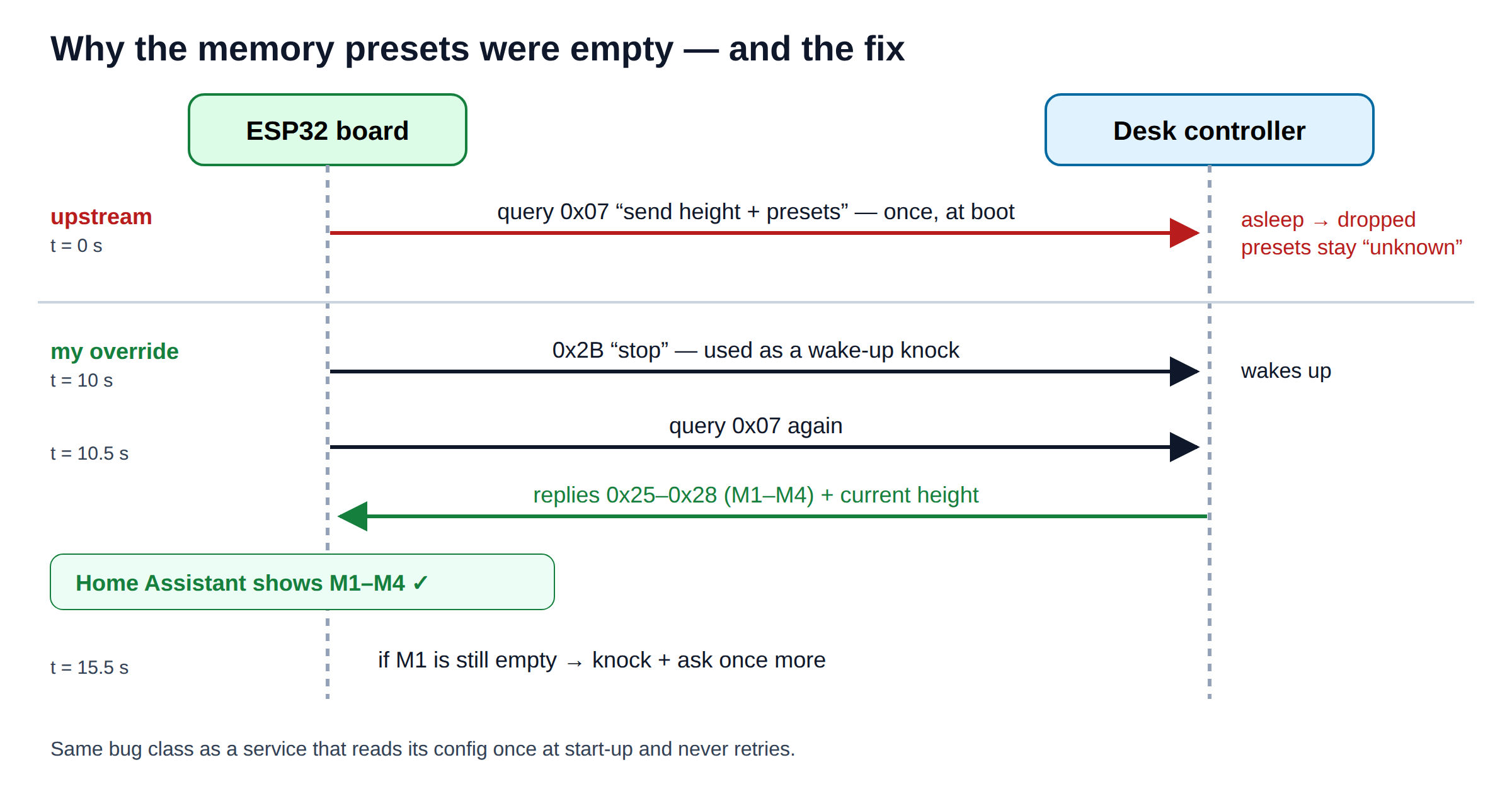 One unanswered question at boot vs. knock first, then ask.
A “fire once at startup” call against a component that sleeps is the same bug as a service that queries its database once at start-up and never retries. Same fix, too.
Two papercuts from the tooling
ESPHome Device Builder showed the board as offline, and an OTA update failed with “No devices matching
desktronic-<mac>.local were discovered”. The upstream config appends the MAC address to the hostname,
while Builder looks for the plain name. One line — use_address, fed from a secret — fixed both.
 The hint is right there in the error message.
The second one is subtler: the first retry still failed, because Builder logged “Loaded validated config cache … skipping validation” and installed from the old cached config, not the file in the editor. An explicit Validate forced a re-read. Later, Builder also flashed a previously queued build on its own the moment the board came back online. Lesson: after an update, check which config was compiled — and look for the new entities in HA as proof of the version actually running.
 After the fix: the desk shows up as available (the UI is in Polish — Dostępne means available).
Shipping it like code
The configuration lives in a repository with a README, a wiring guide (including the mirrored pinout story),
a secrets example and an MIT license for my files. Values that are local to my home — the device’s hostname
with its MAC suffix, network names — go through !secret, so the public files contain none of them. Before
the first pull request, a scan for IP addresses, MAC addresses and hostnames came back empty. Changes go in
through pull requests and get reviewed before merge, even for a desk.
Repository: ziembiewicz/desktronic on GitHub
What’s next
This is phase one, the basics. Next come conditional automations — for example detecting a Teams meeting on Windows and raising the desk when one starts, signalling that it’s time to change position before the desk rises on its own, setting the desk early in the morning to the opposite position from the day before, and so on. I’ll build these as feature requests, the GitOps way, and I’ll definitely post updates here as they progress. Stay tuned :-)
The hardware part took a few evenings. The habits — pin your dependencies, harden defaults, measure before acting, add observability, find the root cause, review before merge — were the same ones I use at work. Turns out a standing desk is a perfectly good place to practise them.